

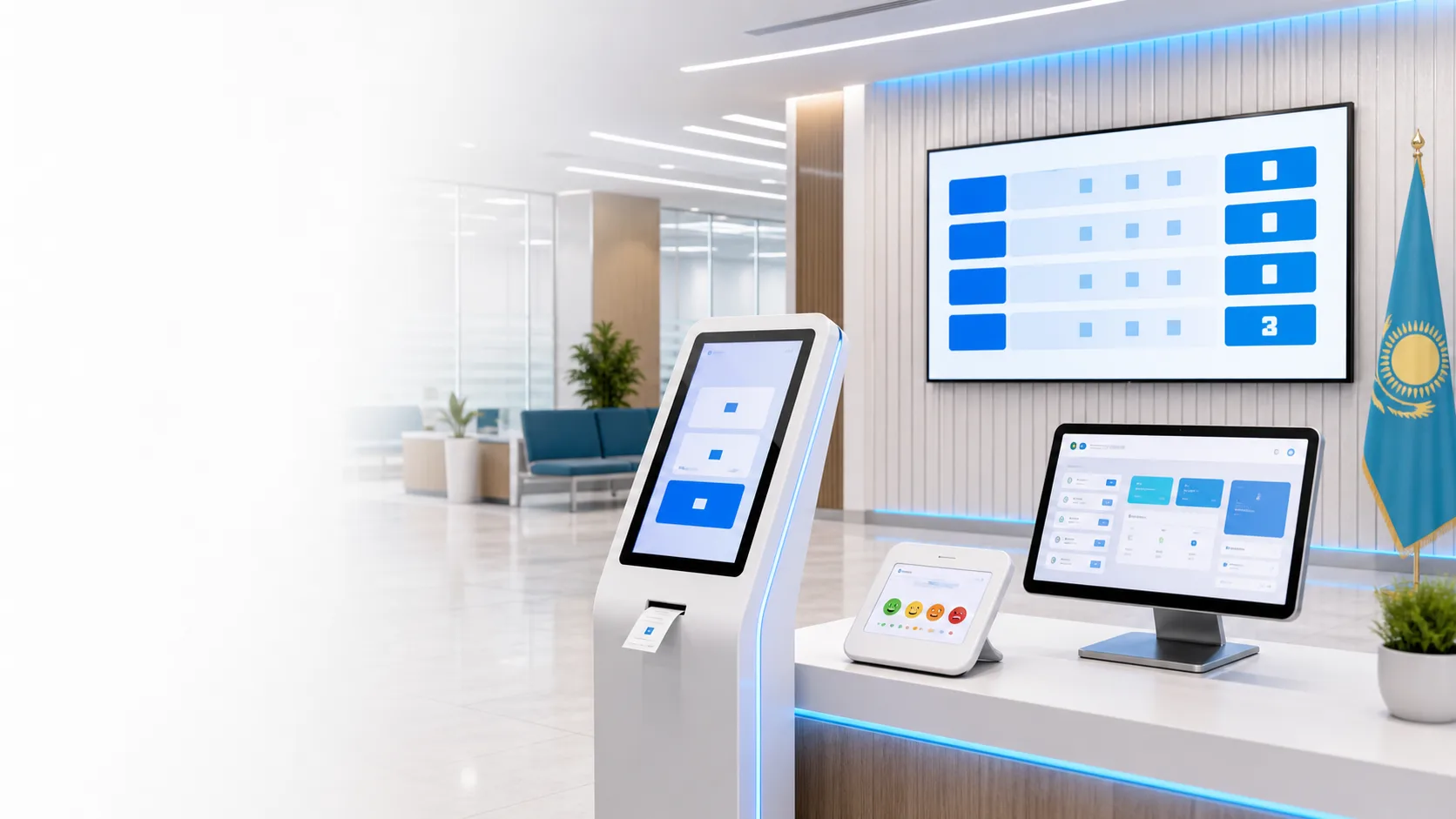
Electronic queue Kazakhstan

Buy an Electronic Queue System in Kazakhstan

Synterra electronic queue system for banks, clinics, public service centers, akimats and service centers: QR registration, paper tickets from the kiosk, display board, voice announcements, reports and deployment across Kazakhstan. A visitor can take a ticket via QR code, go for coffee or wait in the car, and the system will call them through the phone, display board and voice. You won't lose a single client!

QRvisitor registration without crowding near the kiosk
Smartphonequeue status and call on the visitor's phone
Controlcontrol of traffic, waiting time and operator load
Commercial solution

Electronic queue system for organizations in Kazakhstan

If you want to buy an electronic queue system in Kazakhstan, it is important to choose more than a ticket kiosk. A complete system includes software, QR registration, display board, operator panel, voice announcements, reports and clear deployment. Synterra supports both the classic paper-ticket workflow and the modern scenario where the visitor receives a number on the phone.

This page gives a quick orientation before a request: system capabilities, equipment, electronic queue cost, launch options and industry use cases. You can order an electronic queue for one office, a branch network, clinic, bank, public service center, akimat, service center or customer service department.

Electronic queue software for Windows and browser-based workplaces
Electronic queue deployment remotely or with turnkey configuration
QR queue without printing and paper tickets through the kiosk
Display board on a TV, monitor or separate computer
Voice call to a window, cash desk, service desk or office
Reports on waiting time, load, no-shows and service quality
How to choose

What matters before buying an electronic queue system

It is better to buy an electronic queue system as a full queue management solution, not as a standalone kiosk: software, operator workplaces, display board, voice announcements, QR registration, paper tickets, reports and a clear launch plan. Electronic queue software should support several services, several counters, different staff roles and local-network operation without mandatory internet access.

If you need an electronic queue in Kazakhstan, electronic queue Almaty, electronic queue Astana, electronic queue Shymkent or electronic queue Karaganda, it is important to define branch count, counters, number issue scenarios and report requirements in advance. This makes it easier to order an electronic queue without unnecessary hardware and receive a correct electronic queue cost calculation.

Electronic queue for a clinic

Separates reception, cash desk, doctor and laboratory, reduces crowding in the live queue and gives patients phone notifications.

Electronic queue for a bank

Helps manage VIP and regular queues, cash desk, managers, legal entities and individuals.

Electronic queue for a public service center

Records waiting time, calls, no-shows, operator rating and management reports.

Electronic queue for an akimat

Reduces conflict in live queues, shows a transparent service order and helps control hourly load.

Before deploying the Synterra electronic queue system, you can calculate the price for your location: without a kiosk, with a mini PC, with a kiosk and printer, or as a full turnkey solution. The main goal is for the visitor to take a number through QR or a paper ticket, wait calmly for the call and be served on time. You won't lose a single client!

What it solves

Not just a kiosk, but customer flow management

Synterra does more than issue numbers. It manages the queue: routes visitors by service, reduces crowding in the waiting area, shows load by hour and helps control operator service quality.

The visitor waits where it is convenient

They take a number via QR, go to the car, coffee area or corridor, and see the call on the phone.

The operator works by status

Call, repeat call, service start, completion and no-show are recorded in the system.

Management sees the numbers

Average waiting time, hourly load, operator rating, no-shows and report export are available for control.
Main advantage

The visitor is not tied to the waiting room

The QR queue reduces load at the entrance: the visitor scans a code, selects a service, receives a number on the smartphone and sees when they will be called. Paper tickets can stay available for visitors who prefer the kiosk.

Phone call
A-104 Window 3 is ready to serve the visitor
Two ways to issue a number

QR on the phone or a paper ticket

A visitor can scan the QR code at the entrance and receive a number on the phone. If they need a familiar paper ticket, they select a service on the kiosk and the printer prints the ticket.

1The visitor scans the QR code at the entrance.
2Selects a service on the phone: cash desk, manager, reception, office.
3Receives a number on the phone or a paper ticket from the kiosk.
4The display board and voice call show when to approach the counter.
Synterra Queue
Select a service
Reception
Cash desk
Manager
Your number M-042 3 visitors ahead
QR and tickets together QR at the desk, ticket printing on the kiosk
Strong advantage

Runs inside your organization

Internet is not required for the main queue. The kiosk, QR page, display board, operator panels and reports can work in the local network from the main computer or mini PC.

LAN Wi-Fi or Ethernet local network
Deployment geography

Electronic queue in Almaty, Astana and across Kazakhstan

Synterra deploys electronic queue systems for single-office organizations and branch networks. Electronic queue Almaty, electronic queue Astana, electronic queue Shymkent and electronic queue Karaganda projects can be launched remotely, through the organization's local network or with an on-site specialist by agreement.

Almatyelectronic queue for clinics, banks, service centers and customer service offices
Astanaelectronic queue deployment for government and commercial organizations
Shymkentqueue system for customer flow, cash desks and reception areas
KaragandaQR queue, display board, paper tickets, reports and process-based configuration
Workflow

How the electronic queue works

1

Visitor takes a number

They scan QR on the phone or select a service on the kiosk and receive a paper ticket.
2

The number appears on the display

The screen shows waiting numbers, active calls and service counters.
3

Operator calls

The employee sees their counter, calls the visitor and manages the status.
4

The system announces

Voice announcement names the ticket number and service counter.
5

Manager reviews reports

Reports include waiting time, service time, load, ratings and export.
Interfaces

All electronic queue screens

Ticket kiosk

Large, clear visitor interface. When a printer is connected, the ticket is printed automatically.
A-104

Mobile QR screen

The visitor selects a service on the phone, receives a number on screen and tracks status until the call.
Your numberQ-018
StatusWaiting
Ahead of you2

Queue display

A TV, monitor or separate computer shows active calls and service counters.
A-104Window 3
B-218Cash desk 1
C-027Desk 2

Operator panel

Call, repeat call, start service, finish service and mark no-show. Every action is stored in history.
NextA-105
ServingA-104
No-showB-216

Voice announcements

The system announces the ticket number and service counter, with announcement language, female and male neural voices and pre-call sound settings.

Rating tablet

After service, the visitor leaves a rating. Results are saved in quality reports.
542

Admin panel

Configure organization, service points, printing, voice, audio device, report users and screen appearance.

Service and counter settings

Services can be assigned to different operators, windows, desks, rooms, cash desks or inspection areas.
Cash deskWindows 1-2
Legal entitiesWindow 3
ManagerDesk 4
Equipment

Equipment for an electronic queue system

The electronic queue can be launched as software without a kiosk or as a turnkey equipment set. A classic setup uses an electronic queue kiosk, thermal ticket printer, TV or monitor for the display board, mini PC, operator workplace and audio system for voice calls.

Electronic queue kiosk

Touchscreen kiosk for selecting a service and printing a paper ticket. Works well where visitors are used to taking a number at the entrance.
Ticket A-104

Call display board

The screen shows the visitor number and service window. The display board can be opened on a TV, monitor or separate computer in the local network.
M-042Window 2
A-104Cash desk 1

Thermal ticket printer

Prints paper tickets with number, service, date and additional text. If a paperless QR scenario is needed, the printer can be skipped.
Q-018

Mini PC and local network

The main computer or mini PC runs the system, while operator panels, display board and QR page open through a browser using a local address.
LANWi-Fi/Ethernet
Modeno internet
Capabilities

What is included

Number issue via QR, touchscreen kiosk or computer
Paper tickets through the kiosk and thermal printer
QR number on the phone for visitors who prefer no paper
Queue display on a TV or monitor
Interface languages: Russian, Kazakh, Uzbek and Kyrgyz
Windows, cash desks, counters and inspection bays
Flexible screen appearance settings
CSV and Excel report export
System licensing and activation
Analytics

Queue and service quality reports

Management sees how many visitors were served, where load peaks happen, how many no-shows occurred, how long visitors waited and what ratings they left after service.

Daily metrics

Tickets
186
Served
164
No-shows
12
Rating
4.7

What you can analyze

Ticket count, completed services, average waiting time, average service time, hourly load, service point summary, session history, action log and customer ratings.
Use cases

Customer flow management cases

An electronic queue for a clinic, bank, public service center or akimat solves different tasks: in one place it reduces crowding at reception, in another it controls waiting time and operator work.

For service and auto repair

Service without chaos

Separate queues for cash desk, manager, reception, handover and inspection bay. Visitors see status, staff work by roles.
  • reception and handover
  • inspection area
  • service history
Price and configuration

Electronic queue system cost

The electronic queue price depends on the number of service windows, number issue method, printer, kiosk, display board, voice calls, reports and deployment format. These options help request the right cost calculation for your organization.

Basic

Software without hardware

For organizations that already have a PC, screen and local network. You can work with QR and print paper tickets when a printer is available.
Get price
Standard

Set with mini PC

Main computer, local network setup, display board on a TV and operator workstations through a browser.
Get price
Professional

Kiosk and printer

Classic scenario with touchscreen, thermal printer, display board, voice call and operator panels.
Get price
Custom

Turnkey solution

Hardware selection, service and counter setup, staff training, scenario checks and post-launch support.
Calculate cost
Deployment

What is needed to launch

The system runs on the main Windows computer or mini PC, while other devices connect through a browser using a local address. A thermal printer is connected for paper tickets, and a QR code is printed for queue access.

Mini PC or Windows computer
TV or monitor for the display board
Operator tablet or PC
Wi-Fi or Ethernet local network
Thermal printer if paper tickets are needed
QR code for visitors who want a number on the phone
Speakers or audio system for voice calls
Service quality rating tablet if feedback is needed
FAQ

Common questions

Can QR and paper tickets be used together?
Yes. Both scenarios are supported at the same time: the visitor can receive a number on the phone via QR or take a paper ticket from the kiosk.
Can a visitor join the queue via QR?
Yes. The visitor scans QR at the entrance, selects a service, receives a number on the smartphone and sees queue status. Paper tickets can remain available on the kiosk.
Can several services be configured?
Yes. You can separate cash desk, manager, individuals, legal entities, reception, handover, office, inspection bay and other scenarios.
Can several counters be created?
Yes. You can configure windows, desks, cash desks, rooms, operator roles and service assignment to the needed service points.
What if there is no internet?
The main queue works in the organization's local network. Internet is needed only for external access, backup scenarios or separate integrations.
Can a TV be connected?
Yes. The display board can be opened on a TV, monitor or separate computer through a browser in the local network.
Can we use our own logo?
Yes. Interfaces can be configured with organization name, logo, visitor texts, languages and screen appearance.
Can reports be exported to Excel?
Yes. Reports can be exported to CSV and Excel for load analysis, waiting-time control and service quality tracking.
Can deployment be done remotely?
Yes. Basic setup, training and support can be delivered online. On-site deployment is available by agreement.
How much does an electronic queue system cost?
The cost depends on the number of counters, kiosk, printer, display board, voice call, QR scenario, reports and deployment format. The exact price is calculated after a short description of your services, branches and hardware.
Can we buy an electronic queue system without a kiosk?
Yes. The electronic queue can be launched as software without hardware: visitors take a number by QR, the display board opens on a TV and operators work through a browser.
Can we order an electronic queue with a kiosk?
Yes. For the classic scenario you can order a touchscreen kiosk, thermal ticket printer, display board, voice announcement and operator panel.
Is the electronic queue suitable for a bank?
Yes. An electronic queue for a bank can separate VIP and regular queues, cash desk, managers, legal entities and individuals, and analyze load by hour.
Is the electronic queue suitable for a clinic?
Yes. An electronic queue for a clinic separates reception, cash desk, doctor, laboratory and other rooms. Patients can take a number by QR and wait for the call on the phone.
Is it suitable for a public service center or akimat?
Yes. The system helps public service centers, akimats and government offices control waiting time, operator ratings, no-shows and the number of served visitors.
Are voice calls included?
Yes. The system announces the visitor number and service counter. Voice notification is useful for banks, clinics, public service centers, akimats, cash desks and service centers.
Are statistics and reports included?
Yes. Management can see number count, average waiting time, service time, hourly load, no-shows, visitor ratings and operator actions.
Can the system be used in several branches?
Yes. For branch networks, separate service points, operator roles, reports and common queue rules can be configured.
How fast can the electronic queue system be launched?
Timing depends on the number of services, counters and hardware. A simple launch with QR, display board and operator panels is faster, while a kiosk and printer set requires additional hardware setup.
Can it be deployed in Almaty and Astana?
Yes. Electronic queue deployment is available for Almaty, Astana, Shymkent, Karaganda and other cities in Kazakhstan remotely or with on-site work by agreement.